Whizzy Concierge
An AI shop assistant that helps your shoppers buy
Whizzy Concierge is an AI tool for your shoppers, not for you: a box docked at the foot of every page of your shop where a visitor asks for what they want in their own words. It answers from your catalogue, shows the products as your theme's own cards, adds them to the bag and walks the shopper to checkout.
Ask, see, add to the bag
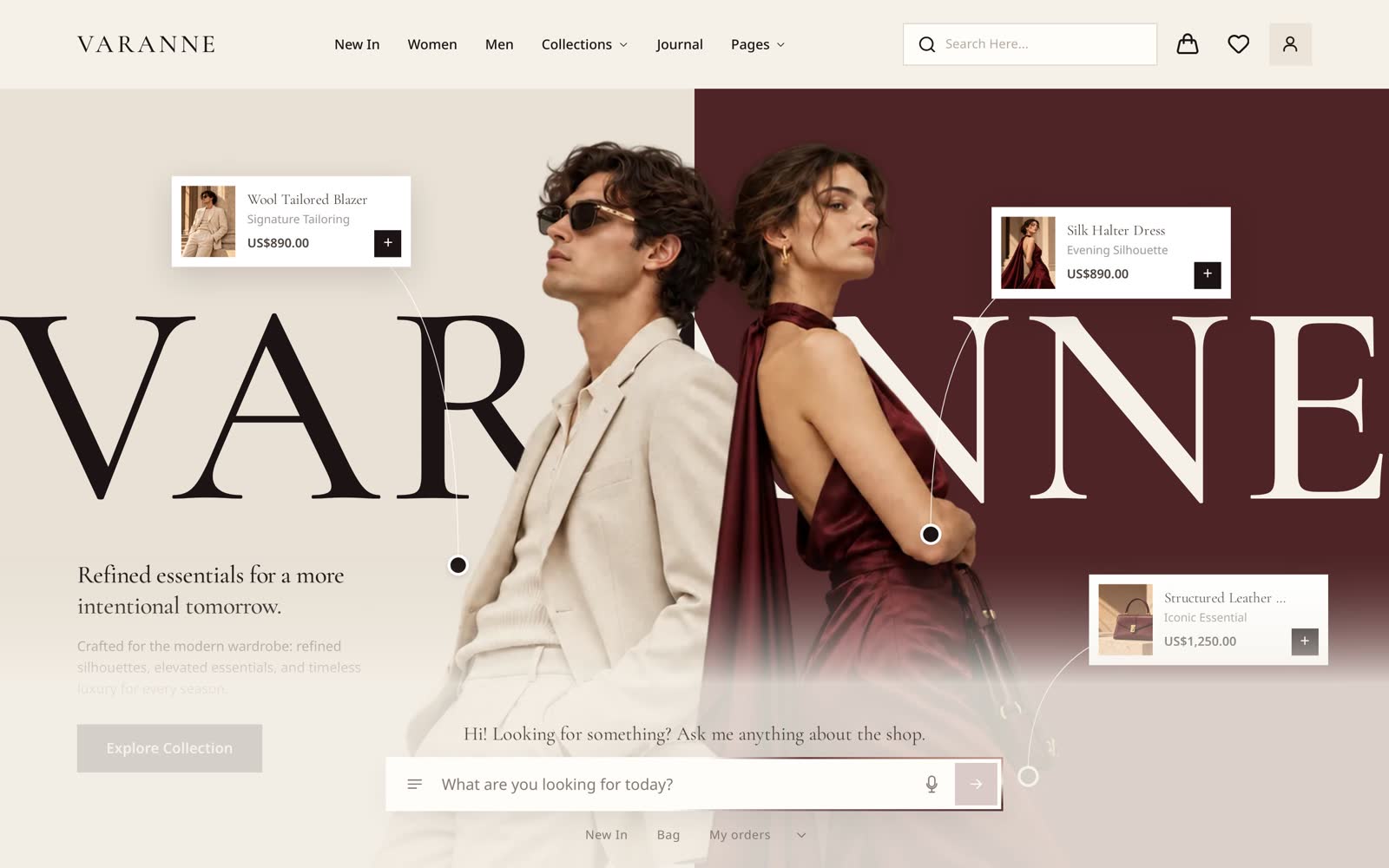
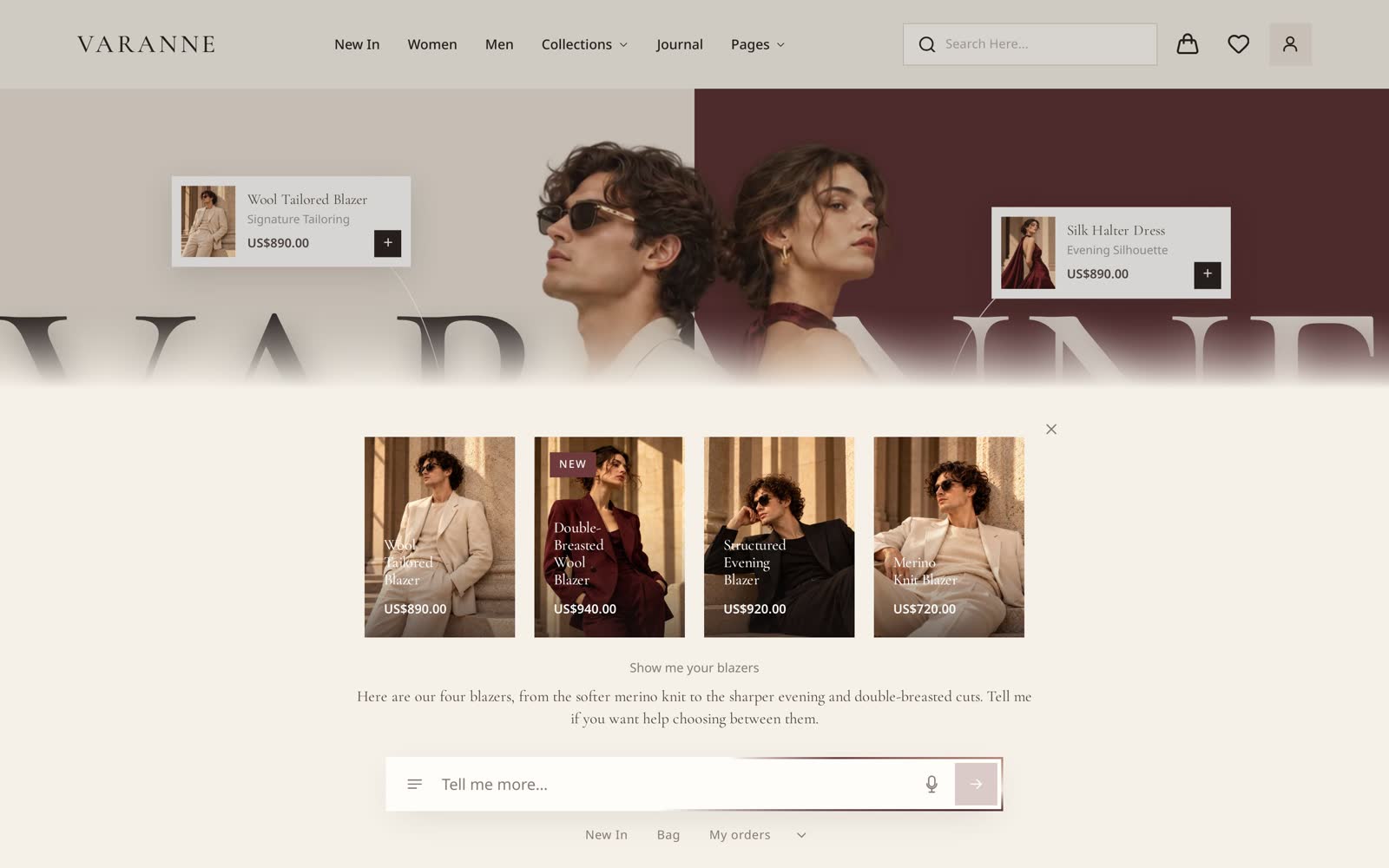
A shopper types, or says, what they are after: something for a wedding, a gift under a price, the same coat in a smaller size. The assistant reads your products, their options, prices and stock, and answers with the ones that fit, drawn as the cards your theme already uses, so it looks like your shop and not like a chat window.
Asked to, it adds a product in the right size, changes a quantity or takes a line out, and the bag at the top of the page follows.
It wears your theme
The dock takes your theme's colours, type and corners. A theme can style it further: Varanne squares it off, gives it a white field and turns the light around the input to wine and cream.
Answers as your products
Every product it suggests is a real card from your catalogue, with its picture, price and badges, and a tap opens the product page. When a choice is needed, a size or who a gift is for, it offers the options as buttons.
On a phone
On a phone the conversation opens as a sheet over the page, with the input under the shopper's thumb, and the microphone takes a spoken question where the browser allows it.
What you set
- Its name, its voice and any rules it must follow, such as what to say about delivery times.
- The shortcuts under the input: Bag, My orders, a category, each with a note on what it means.
- A first line for a new visitor, per kind of page, in your own words. It is not written by the model, so it costs nothing however many people see it.
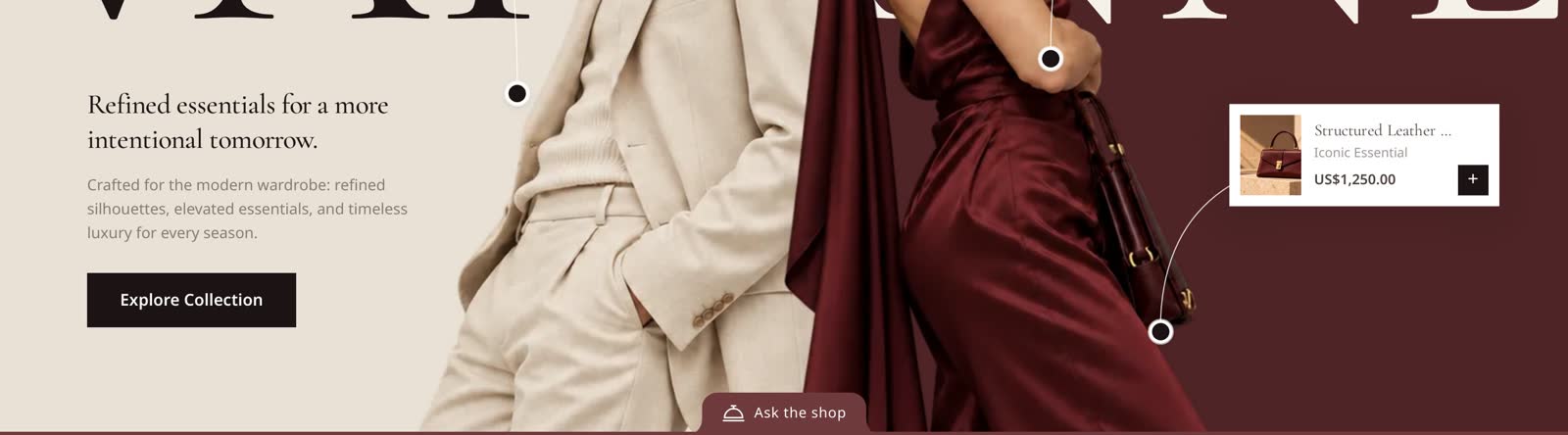
- What a shopper sees once they hide it: a tab at the foot of every page with a bell and words, the bell, or the words.
Checkout stays secure
It can collect the shopper's email, address, delivery method and discount code one at a time, then opens your secure checkout with all of it filled in. It never takes a card number: paying always happens on the checkout page.
Where it is available
The shop assistant is part of the Pro plan, switched on under AI in your dashboard. It runs on Claude, and its use comes out of the AI allowance your plan includes. The dashboard assistant, which helps you run the shop, is on every plan.
Every theme's demo shop shows the assistant in that theme's look. Demos do not answer, so a question there opens a note pointing here.
Questions
Is it a chatbot with canned answers?
No. It reads your live catalogue for each question and answers from it, so a new product or a price change is in its next answer.
Can a shopper turn it off?
They can hide it. It then waits as a small tab at the foot of the page, stays hidden as they browse, and comes back with a tap.
Does it work with any theme?
Yes. It takes every theme's colours and type, and a theme can give it its own corners, field colour and light.
Read next
- AI ecommerce platformAn AI ecommerce platform where the assistant proposes each change, you see the preview and confirm it, and every change has a receipt and an undo.
- ThemesOnline store templates you try on your own shop as a draft before paying. Edit sections, write CSS by hand, or ask Claude to redesign a page for you.